
There is a special kind of satisfaction that comes from finding something that was hidden in plain sight. That moment when your eyes finally spot the tiny key on a cluttered desk, or the single red flower in a field of green—it feels like a small victory. Hidden object games are built entirely around this feeling. They reward patience, observation, and attention to detail.
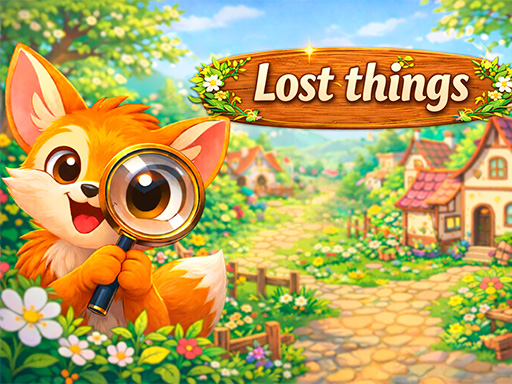
Lost Things – Hidden Objects, published by Illusions Games, is a perfect example of this genre done right. It invites you to embark on an exciting adventure where your powers of observation are your main tool. Unlike many modern games that rush you with timers and pressure, Lost Things is designed for relaxation. You explore huge, colorful maps filled with hundreds of artfully hidden objects—all at your own pace.
In this article, we will explore everything Lost Things has to offer: how to play, the map system, the hint mechanic, and why this game is perfect for players who appreciate slow-paced, detail-oriented gameplay.
What Is Lost Things – Hidden Objects? A Gentle Observation Challenge
Lost Things – Hidden Objects is an HTML5 puzzle game built using WebGL technology. It is available on GameDistribution and is fully compatible with mobile web browsers on iOS and Android, as well as desktop computers. The game was published by Illusions Games in March 2026.
The game’s description makes its philosophy clear: “Forget about time pressure!” This is not a game that tests your speed or reflexes. It tests your eyes and your patience. You are given a list of objects to find within a large, detailed scene. You click on them when you spot them. That is it. There is no timer counting down, no penalty for wrong clicks (beyond a minor indicator), and no pressure to rush.
Key Features at a Glance
- Hidden Object Gameplay: Find listed items within detailed, colorful scenes.
- No Time Pressure: Play entirely at your own pace. Relax and explore.
- Huge Maps: Large, expansive environments with hundreds of objects.
- Progressive Unlocking: New map sections open when you find enough items.
- Helpful Hint System: Hints highlight hard-to-find objects.
- High Resolution: Stunning 1600×800 visuals.
- Cross-Platform: Works on desktop and mobile (iOS/Android).
- Free to Play: No cost to access the core gameplay.
How to Play: Observe, Click, Discover
The controls are wonderfully simple. “The left mouse button is used to collect.” On mobile, you tap.
Core Gameplay Loop
- Start a Map: You are presented with a large, beautifully illustrated scene. It could be a busy city street, a cluttered attic, a magical forest, or a pirate ship.
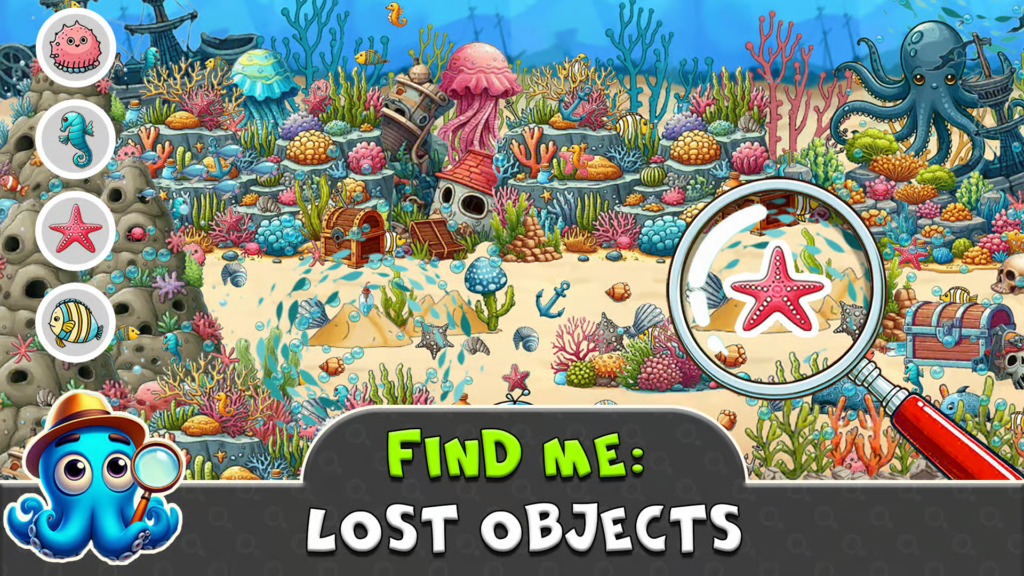
- Read the List: A sidebar or panel shows a list of objects you need to find. Examples: “key,” “red apple,” “blue butterfly,” “hourglass,” “feather.”
- Scan the Scene: Look closely at the image. The objects are artfully hidden among the visual details. A key might be partially obscured by a book. A feather might blend into a bird’s wing.
- Click or Tap: When you spot an object, click on it (or tap on mobile). If you are correct, the object is collected. It may be removed from the scene or highlighted as found.
- Complete the List: Find all the objects on your current list.
- Unlock New Areas: When you have found a certain number of items, new sections of the map open up, revealing more area to explore and more objects to find.
The Hint System
Even the most observant player gets stuck sometimes. Lost Things includes a helpful hint system.
How the Hint Works:
- Activate the hint button (likely a magnifying glass icon).
- The camera automatically moves to the location of an unfound object.
- The object itself is highlighted with small visual effects (a glow, a sparkle, or a pulsing outline).
You can then click on the highlighted object to collect it. Hints are likely limited (maybe one per minute or a certain number per level) to encourage independent searching, but they ensure you never get permanently stuck.
Progressive Map Unlocking
You do not see the entire map at once. New sections open as you progress. This design choice has several benefits:
- Reduces Overwhelm: A huge map with hundreds of objects could be intimidating. Revealing it piece by piece makes the task feel manageable.
- Creates Anticipation: You wonder what is behind that locked door, or beyond that mountain pass.
- Tells a Story: Unlocking a new area might reveal a narrative element (e.g., opening a chest, entering a castle).
The Worlds You Will Explore
While the source material does not specify exact map themes, hidden object games typically feature a variety of richly detailed environments.
| Possible Map Theme | Description | Objects You Might Find |
|---|---|---|
| Enchanted Forest | Mushrooms, fairies, ancient trees, hidden glades. | Acorn, fairy wing, spider web, magic wand, mossy rock. |
| Pirate Cove | Ships, treasure chests, barrels, maps, tropical plants. | Compass, gold coin, parrot, cannonball, sea shell. |
| Victorian Mansion | Ornate furniture, paintings, books, dusty attics. | Pocket watch, candlestick, quill pen, monocle, portrait key. |
| Busy Market | Stalls, fruits, vegetables, fabrics, people. | Watermelon, basket, scarf, coin purse, ceramic bowl. |
| Underwater Ruins | Coral, fish, sunken statues, treasure. | Pearl, starfish, trident, amphora, ancient coin. |
| Wizard’s Tower | Potions, scrolls, crystals, strange devices. | Crystal ball, spell book, rat tail, moon phase chart, cat figurine. |
Why No Time Pressure Matters
Many hidden object games include a timer. You have 60 seconds to find 10 items, or you lose. This creates stress. Lost Things explicitly rejects that model.
Benefits of a Relaxed Pace
- Lower Anxiety: You can play to unwind, not to compete. There is no penalty for taking a minute to scan an area carefully.
- Better for All Ages: Seniors, young children, and people with disabilities can play without feeling rushed.
- Encourages Deep Observation: When you are not worried about the clock, you take time to appreciate the artwork. You notice details you would miss if you were rushing.
- Accessible: Anyone can play, regardless of reaction speed or fine motor control.
How to Make the Most of a Timeless Game
- Play in Short Bursts: Find a few objects, then take a break. The game will remember your progress.
- Play While Listening to Music or Podcasts: The gentle, non-stressful gameplay pairs perfectly with background audio.
- Play with Family: Pass the mouse (or device) around. Each person tries to spot one object. It becomes a cooperative activity.
Strategies for Finding Hidden Objects
Even without a timer, you can improve your finding efficiency.
1. Scan Systematically
Do not let your eyes bounce randomly around the screen. Use a pattern:
- Left to right, top to bottom. Like reading a book.
- In concentric circles. Start from the center, move outward.
- By color. Look for all red objects, then all blue, then all green.
2. Use the List as a Guide
The list is not random. The game designers often group objects by theme or location. If you are looking for “key,” “coin,” and “map,” they might all be near a treasure chest. If you are looking for “feather,” “egg,” and “nest,” look up in the trees.
3. Look for Anomalies
Hidden objects are often hidden by blending in. Look for:
- Unusual colors: A blue object in a sea of green.
- Unusual shapes: A straight line in a scene of curves.
- Textures: A smooth object on a rough surface.
- Context: A beach ball in a library does not belong. That is probably a hidden object.
4. Zoom In (If Available)
If the game supports zoom (pinch on mobile, scroll wheel on desktop), use it. Small details become visible only at high magnification. A “key” might be a tiny gold speck until you zoom in.
5. Use Hints Sparingly
Hints are there for when you are truly stuck. Using them too early robs you of the satisfaction of discovery. Try to find at least 90% of objects on your own before resorting to the hint button.
Visual and Technical Excellence
Lost Things boasts impressive specifications: 1600×800 resolution. This is exceptionally high for a browser game.
Visual Quality
- Crisp Detail: At full resolution, you can see individual threads in a carpet, leaves on a tree, and cracks in a wall.
- Colorful Palette: The game is not drab or dreary. Expect vibrant, saturated colors that pop.
- Art Style: Likely hand-illustrated or high-quality digital painting. The style is probably whimsical and inviting rather than realistic or dark.
Performance
The high resolution requires a decent device. On older computers or phones, the game may run slowly. If you experience lag, try:
- Closing other browser tabs.
- Lowering your screen resolution (in your device settings, not the game).
- Playing in a less demanding browser (Chrome often performs best for WebGL).
Technical Requirements and Compatibility
Lost Things – Hidden Objects is built using WebGL and runs in any modern web browser.
| Requirement | Details |
|---|---|
| Platform | Desktop, laptop, smartphone, tablet |
| Operating System | Windows, macOS, Linux, iOS, Android |
| Browser | Chrome, Firefox, Safari, Edge (latest versions) |
| Technology | HTML5 / WebGL |
| Controls | Mouse (desktop) or touch (mobile) |
| Screen Orientation | Portrait (1600×800) |
| Internet | Required for initial load; offline play possible after loading |
The game’s portrait orientation is ideal for mobile play. The 1600×800 resolution is very wide, so on a phone, you will need to scroll horizontally to see the entire map. On a desktop, the game will display at a scaled-down size or require scrolling.
Privacy and Cookie Notice
Like most free online games, Lost Things – Hidden Objects is hosted on websites that may use cookies for advertising, analytics, and functionality. These include:
- Strictly Necessary Cookies: Required for the game to load and run properly.
- Performance Cookies: Help the website understand how players interact with the game.
- Targeting Cookies: Used to show relevant advertisements based on your interests.
You can typically manage these preferences through the website’s cookie consent tool. Playing in a private browsing window or using a browser with built-in tracker blocking can limit data collection.
Frequently Asked Questions (FAQs)
1. Is Lost Things – Hidden Objects free to play?
Yes. The game is completely free. There are no download fees, subscription costs, or mandatory in-game purchases. Some hosting sites may include optional advertisements, but these do not block core gameplay.
2. Is there a time limit in Lost Things?
No. The game explicitly states “forget about time pressure.” You can take as long as you need to find each object. There is no timer, no countdown, and no penalty for slow play.
3. How does the hint system work in Lost Things?
Activate the hint button (magnifying glass icon). The camera will automatically move to the location of a hidden object, and the object will be highlighted with visual effects (glow, sparkle). You can then click on it to collect it.
4. How do I unlock new areas in Lost Things?
New sections of the map open when you have found a certain number of objects. The exact threshold varies by level. Continue finding objects, and new areas will gradually become accessible.
5. Can I play Lost Things on my phone?
Yes. The game is marked as mobile web compatible for both iOS and Android. Use touch controls (tap on objects). For the best experience, hold your phone in portrait orientation (vertical). The map is very wide (1600×800), so you will need to scroll horizontally.
Conclusion: A Gentle Escape for Observant Souls
Lost Things – Hidden Objects is not a game about speed, competition, or high scores. It is a game about slowing down. It invites you to linger in beautifully illustrated worlds, to scan every corner, and to feel a small thrill of discovery each time you spot something hidden.
The lack of time pressure makes it accessible to everyone: children learning to focus, adults seeking stress relief, seniors keeping their minds active. The progressive unlocking system keeps you engaged without overwhelming you. And the helpful hint system ensures you never get permanently stuck.