
There is a certain breed of video game that thrives on simplicity. No complex storylines, no inventory management, no skill trees. Just you, a simple objective, and a level designed to test your reflexes. These games are often the hardest of all because there is nowhere to hide. You cannot grind for better equipment. You cannot change your strategy. You can only try again, and again, and again, until your muscle memory finally matches the level’s demands.
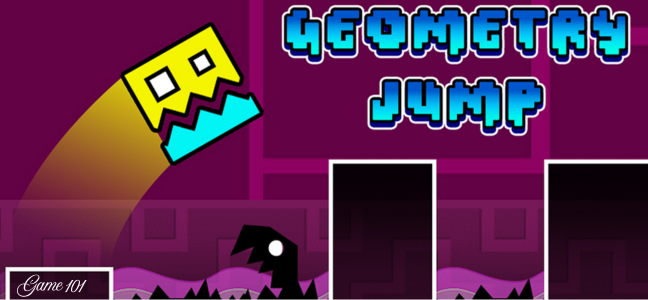
Geometry Jump is exactly that kind of game. Developed by newgamess, this browser-based platformer challenges you to jump through geometric shapes and avoid obstacles. The levels are hard. You will fail. You will restart. And you will keep playing because the simple tap-to-jump controls and the “one more try” hook are impossible to resist.
In this article, we will explore how to play Geometry Jump, the character selection system, strategies for conquering difficult levels, and why this minimalist platformer has captured the attention of players seeking a challenge.
What Is Geometry Jump?
Geometry Jump is an HTML5 platform jumping game built using Construct 2 technology. It is available on GameDistribution and is fully compatible with desktop browsers (using mouse controls) and mobile devices (using touch controls). The game was published by newgamess in April 2020.
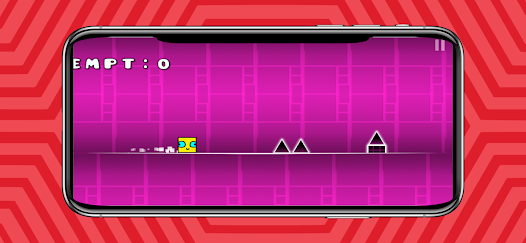
The concept is simple. You control a character that automatically moves forward (or stands still, waiting for your input). You tap to jump. Your goal is to navigate through a series of geometric obstacles—spikes, gaps, moving platforms, and other hazards—without touching them. One hit, and you restart the level.
Key Features at a Glance
| Feature | Description |
|---|---|
| Simple Controls | Tap or click to jump. |
| Character Selection | Choose from favorite characters. |
| Geometric Obstacles | Shapes, spikes, and moving hazards. |
| Hard Difficulty | Levels are challenging and require practice. |
| Infinite Retries | Try levels countless times. |
| Cross-Platform | Works on desktop and mobile (iOS/Android). |
| Free to Play | No cost to access the core gameplay. |
How to Play: Tap to Jump
The controls could not be simpler. The instructions say “Use mouse to play” (click to jump), and the description adds “Tap on screen to jump” for mobile devices.
Controls
| Device | Control Method |
|---|---|
| Desktop | Click the mouse to jump. |
| Mobile | Tap the screen to jump. |
That is it. No arrow keys, no WASD, no multiple buttons. You click or tap. The character jumps. The timing of that jump determines success or failure.
Core Gameplay Loop
- Select Your Character: Choose from a selection of favorite characters (visual skins only; no gameplay difference).
- Start the Level: The level begins. Your character is at the start.
- Jump: Click or tap to make the character jump. The height and distance of the jump are fixed (not variable based on how long you hold the button).
- Avoid Obstacles: Time your jumps to clear spikes, land on platforms, and avoid moving hazards.
- Reach the End: Touch the goal (likely a flag or portal) to complete the level.
- If You Fail: You hit an obstacle. The level resets instantly. You start over from the beginning.
- Advance: Complete the level to unlock the next, harder stage.
Character Selection
The game allows you to “choose some of yours favorite character to play with it.” This is a cosmetic feature only. The characters likely include:
| Character Type | Appearance |
|---|---|
| Basic Square | A simple white or colored square (default). |
| Circle | A round character. |
| Triangle | A triangular character. |
| Unlockable Characters | Gained by completing levels or collecting in-game currency. |
Character selection does not affect gameplay. Jump height, speed, and hitbox size are identical for all characters. This is purely for personal preference.
The Geometry of Obstacles
The game’s title refers to the visual style: everything is made of geometric shapes.
Obstacle Types
| Obstacle | Description | Danger |
|---|---|---|
| Spikes | Triangular points protruding from the ground or ceiling. | Instant death on touch. |
| Gaps | Empty spaces between platforms. | Fall to your death. |
| Moving Platforms | Platforms that slide left/right or up/down. | Timing becomes critical. |
| Rotating Blades | Circular saw-like hazards. | Instant death. |
| Bouncing Pads | Launch the character higher than a normal jump. | Can be helpful or deadly (if mis-timed). |
| Gravity Switches | Areas where gravity reverses (upside down). | Disorienting. |
Level Design Philosophy
Geometry Jump levels are “hard” by design. They require precise timing and memorization. There is no randomness. Every spike, every moving platform, every gap is in the same place every attempt. This means that failure is not due to luck but to lack of practice. Each death teaches you something.
Why Hard Games Are So Addictive
Geometry Jump is not a relaxing game. It is frustrating. You will die repeatedly on the same jump. You will want to throw your mouse or phone across the room. So why do people keep playing?
The Psychology of Hard Platformers
| Factor | Why It Matters |
|---|---|
| Clear failure state | You know exactly why you died (you jumped too early or too late). |
| Quick restart | Dying resets the level instantly. You are back in the action within one second. |
| Mastery | Beating a hard level feels genuinely rewarding because you earned it. |
| No penalty for failure | You lose nothing but time. You can retry infinitely. |
| Flow state | When you are in the zone, your fingers move automatically. Time disappears. |
The “One More Try” Hook
This is the key. After failing, your brain says, “I was so close. One more try.” And then you try again. And again. And again. This loop is the foundation of the entire “hard platformer” genre.
Strategies for Conquering Geometry Jump
Ready to beat the hardest levels? Follow these strategies.
1. Memorize the Level
You cannot react to obstacles you have not seen. The first few attempts of any level should be treated as scouting runs. Do not expect to complete the level. Just learn where the obstacles are.
| Attempt | Goal |
|---|---|
| Attempt 1-3 | Learn the obstacle placement. |
| Attempt 4-6 | Start timing the jumps. |
| Attempt 7+ | Execute the full run. |
2. Tap, Do Not Hold
In many platformers, holding the jump button longer makes you jump higher. Geometry Jump likely uses a fixed jump height. If you hold the button, nothing changes. Learn to tap quickly and release. Holding may delay your next input.
3. Look Ahead, Not at Your Character
New players stare at their character. This is a mistake. Your eyes should be focused 2-3 seconds ahead of your character. You need to see the upcoming obstacle to prepare your timing. Reacting when you are already at the obstacle is too late.
4. Use Rhythm
Many Geometry Jump levels have a musical rhythm. The obstacles are spaced to match a beat. If you tap to the beat, you will clear the obstacles. Listen to the background music (if any) or develop an internal metronome.
5. Take Breaks
If you have attempted the same level 50 times and are getting worse (not better), stop. Take a 10-minute break. Walk away. When you return, you will often complete the level within a few attempts. Your brain continues practicing subconsciously.
Comparison to Similar Games
| Game | Platform | Difficulty | Jump Control | Price |
|---|---|---|---|---|
| Geometry Jump | Browser | Hard | Single tap | Free |
| Geometry Dash | Mobile, PC | Very Hard | Tap/hold | Paid (free demo) |
| The Impossible Game | Mobile, PC | Very Hard | Single tap | Paid |
| Jump King | PC | Very Hard | Charge jump (variable) | Paid |
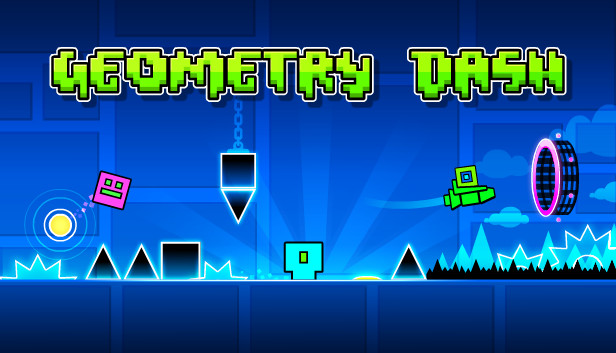
Geometry Jump is clearly inspired by Geometry Dash, but it is simpler and free. It lacks the level editor, online sharing, and extensive customization of Geometry Dash, but it provides a similar core experience.
Visual and Audio Design
Visual Style
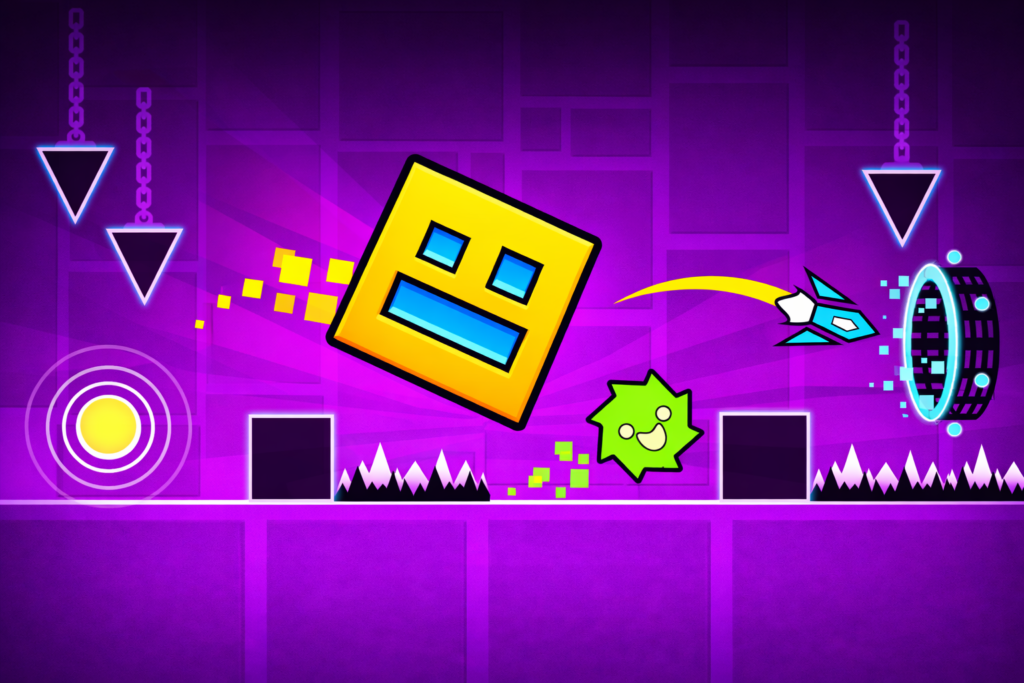
Geometry Jump features minimalist 2D graphics. Everything is made of geometric shapes: squares, triangles, circles, and lines. The color palette is bright and neon (greens, pinks, blues, yellows). The background is often black or dark, making the obstacles pop.
Animations
- Character movement: Smooth, with a slight squash/stretch effect on jump.
- Obstacles: Spikes, moving platforms, rotating blades.
- Death: Character explodes into particles (or simply disappears) when hitting an obstacle.
- Level complete: A celebratory animation and transition to the next level.
Sound (Likely)
- Music: Upbeat electronic music (techno, dubstep). This is important for rhythm-based gameplay.
- Jump sound: A simple “boop” or “click.”
- Death sound: A “splat,” “crash,” or “buzzer.”
- Level complete: A triumphant fanfare.
Technical Requirements and Compatibility
| Requirement | Details |
|---|---|
| Platform | Desktop, laptop, smartphone, tablet |
| Operating System | Windows, macOS, Linux, iOS, Android |
| Browser | Chrome, Firefox, Safari, Edge (latest versions) |
| Technology | HTML5 / Construct 2 |
| Controls | Mouse (click) or touch (tap) |
| Screen Resolution | 1280×720 (landscape) |
| Internet | Required for initial load; offline play possible after loading |
The game’s landscape orientation is best experienced on a desktop or tablet. On a phone, turn your device sideways.
Frequently Asked Questions (FAQs)
1. Is Geometry Jump free to play?
Yes. The game is completely free. There are no download fees, subscription costs, or mandatory in-game purchases. Some hosting sites may include optional advertisements, but these do not block core gameplay.
2. Can I play Geometry Jump on my phone?
Yes. The game is marked as mobile web compatible for both iOS and Android. Use touch controls (tap on the screen). For the best experience, hold your phone in landscape orientation (sideways).
3. How many levels are in Geometry Jump?
The source material does not specify the number of levels. However, hard platformers of this type typically feature 10-30 levels, with increasing difficulty.
4. Is there a difference between the characters?
No. Character selection is purely cosmetic. All characters have the same jump height, speed, and hitbox. Choose the one you think looks coolest.
5. What do I do if I am stuck on a level?
Follow the strategies in this article: memorize the level, look ahead, use rhythm, and take breaks. If you are still stuck after many attempts, search YouTube for “Geometry Jump level [X] walkthrough” to see a successful run.
Conclusion: A Simple, Frustrating, Addictive Platformer
Geometry Jump is not for everyone. If you dislike challenging games, if you have low patience, or if you are prone to throwing devices, this game may not be for you. But if you enjoy hard platformers, if you like the satisfaction of mastering a difficult level, and if you appreciate simple, responsive controls, Geometry Jump is a perfect time-killer.
The tap-to-jump mechanic is intuitive. The geometric visuals are clean and appealing. The difficulty is brutal but fair. Every death is your fault. Every success is your achievement.
Jump through shapes, avoid obstacles, and try to reach the end. It will take countless attempts. But when you finally see that level complete screen, you will feel a genuine sense of accomplishment. And then you will press “Next Level” and do it all over again.