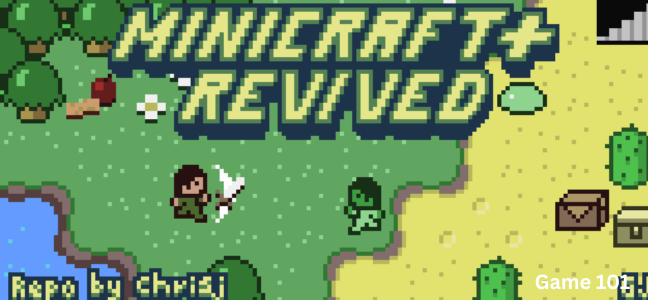

Unleash your imagination and embark on an adventure through endless worlds, constructing everything from humble abodes to majestic fortresses. Enter the boundless realm of creative mode, where your resources are limitless, or plunge into the depths of the world in survival mode, forging weapons and armor to battle menacing mobs. Whether you choose to brave the unknown alone or alongside companions, you have the power to create, discover and endure. Minicraft game is waiting for you.
Welcome to Minicraft, a captivating sandbox game developed by tinyDream that brings the magic of open-world creativity and survival to your browser. Inspired by the genre-defining games that have captured the hearts of millions, Minicraft offers two distinct ways to play: unleash your creativity with unlimited resources in Creative Mode, or test your survival skills by gathering resources, crafting gear, and fighting dangerous creatures in Survival Mode.
This comprehensive guide covers everything you need to know about Minicraft—game modes, controls, building techniques, survival strategies, crafting systems, and why this game has become a favorite among fans of sandbox adventures.
What Is Minicraft? An Overview
Minicraft is a sandbox adventure game that combines creative building with survival gameplay. The world is made of blocks—each representing a different material (dirt, stone, wood, sand, ore, etc.). You can break blocks to collect resources, place blocks to build structures, and craft items to help you survive.
The game offers two distinct modes:
Creative Mode: A peaceful sandbox where you have unlimited resources. You can fly, you cannot take damage, and you can build anything you can imagine without worrying about survival mechanics. Perfect for architects, artists, and players who just want to create.
Survival Mode: A challenging adventure where you must gather resources, manage your health and hunger, craft weapons and armor, and defend yourself against hostile monsters (mobs). You start with nothing and must build your way to safety and prosperity.
The world is procedurally generated or fixed (depending on version), offering endless exploration. You can dig deep underground to find rare ores, climb mountains to survey the landscape, or build elaborate structures that reach the sky.
Why Minicraft stands out:
- Two complete game modes – Creative for builders, Survival for adventurers
- Block-based building – Intuitive and satisfying construction
- Crafting system – Transform raw materials into tools, weapons, and armor
- Day/night cycle – Survive the night or work through it
- Hostile mobs – Battle creatures that emerge in darkness
- Exploration – Vast worlds with varied biomes
- No download required – Play instantly in your browser
Game Modes
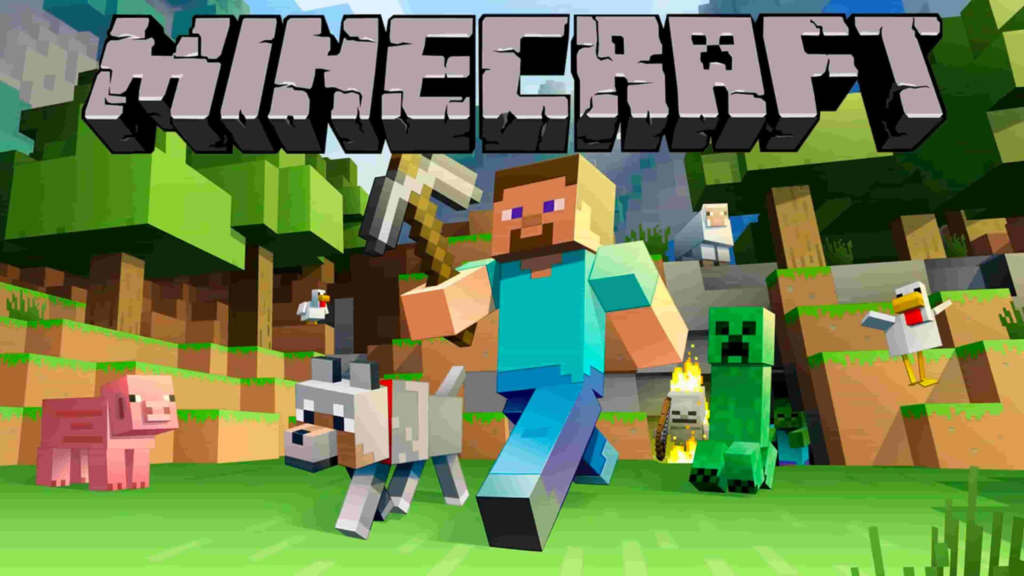
Creative Mode – Build Without Limits
Creative Mode is designed for players who want to focus entirely on construction and imagination.
Features of Creative Mode:
- Unlimited resources – You have infinite quantities of every block and item
- Flight – Double-tap jump (or use a dedicated flight button) to fly; you can move freely in three dimensions
- Invincibility – You cannot take damage from falling, drowning, lava, or monsters
- Instant breaking – Blocks break instantly when you click them
- No survival mechanics – No hunger, no health management
Best for:
- Players who want to practice building techniques
- Aspiring architects designing elaborate structures
- Players who find survival mode too stressful
- Quick experimentation (“I wonder if this design will work”)
Building in Creative Mode:
- Select blocks from an unlimited inventory
- Place blocks instantly
- Remove blocks instantly
- Fly to reach high places easily
Survival Mode – Test Your Mettle
Survival Mode is the complete Minicraft experience. You must gather resources, manage your needs, and protect yourself from danger.
Features of Survival Mode:
- Limited resources – You start with nothing and must gather everything
- Health system – You have health points; damage reduces them; death sends you back to your spawn point
- Hunger system – Your hunger bar depletes over time; you must eat food to restore it; low hunger prevents health regeneration
- Day/night cycle – Day is relatively safe; night spawns hostile monsters
- Crafting – Combine resources to create tools, weapons, armor, and more
- Progression – Start with wood tools, upgrade to stone, then iron, then diamond
Best for:
- Players who enjoy challenge and progression
- Survival game enthusiasts
- Anyone who wants the full Minicraft experience
- Players who find purpose in gathering and building
Survival Mode Progression:
- Punch trees to collect wood
- Craft wooden tools (pickaxe, axe, shovel, sword)
- Mine stone and coal
- Craft stone tools (better than wood)
- Build a shelter before night
- Mine iron ore, smelt it into iron ingots
- Craft iron tools and armor
- Explore deeper for diamonds
- Build elaborate bases, farms, and defenses
Controls
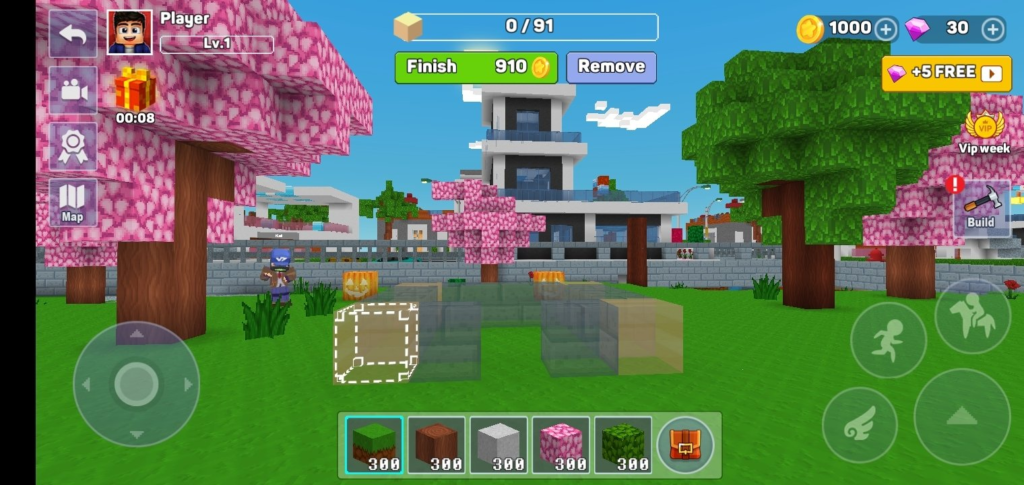
Minicraft uses simple keyboard and mouse controls:
| Action | Control |
|---|---|
| Move Forward | W or Up Arrow |
| Move Backward | S or Down Arrow |
| Move Left | A or Left Arrow |
| Move Right | D or Right Arrow |
| Jump | Spacebar |
| Break Block / Attack | Left Mouse Button |
| Place Block / Use Item | Right Mouse Button |
| Open Inventory | E or I |
| Drop Item | Q |
| Sneak | Shift |
| Fly (Creative Mode) | Double-tap Space, then use movement keys |
Pro tip: On laptops with touchpads, a USB mouse greatly improves the experience. Breaking and placing blocks with a mouse is much faster than with a touchpad.
Building Techniques
Basic Building
Foundations: Always start with a solid foundation. A flat floor of wooden planks or stone ensures your walls align properly.
Walls: Build walls at least 3 blocks high to prevent monsters from jumping over. Leave openings for doors and windows.
Roofs: Flat roofs are easiest but less attractive. Sloped roofs (using stairs or slabs) look better and shed rain (if weather is implemented).
Lighting: Torches are essential. Place them every 5-7 blocks to prevent monster spawns. In Survival Mode, darkness = danger.
Advanced Building
Redstone (if implemented): Some versions include redstone, allowing you to build mechanical contraptions: automatic doors, hidden passages, traps, and more.
Farming: Build a farm to grow food. Till soil with a hoe, plant seeds, wait for growth, harvest. Infinite food solves hunger problems.
Mob Farms: Build structures that cause monsters to spawn in a controlled area, then kill them automatically for resources.
Aesthetics: Use different block types for texture. Add windows (glass blocks), balconies, chimneys, and landscaping.
Building Safety (Survival Mode)
First Night Shelter: Your first shelter should be simple—a hole in a hill, a small dirt hut, or a treehouse. Focus on enclosure, not aesthetics.
Perimeter Walls: Once established, build walls around your base. Light the interior. Keep monsters out.
Moat: A trench filled with water (or lava for the brave) prevents monsters from reaching your walls.
Underground Bases: Safer from surface monsters but vulnerable to cave spawns. Light everything.
Survival Mode Strategies
First Day Priorities
- Gather wood – Punch trees immediately. Collect at least 20 logs.
- Craft tools – Wooden pickaxe, axe, sword, shovel.
- Find stone – Look for exposed stone on hillsides or dig down a few blocks.
- Craft stone tools – Stone pickaxe, axe, sword.
- Kill animals – Collect meat (food) and leather (armor).
- Build shelter – Before sunset (approximately 10 minutes of real time).
- Smelt ore – If you found iron, build a furnace and smelt it into ingots.
- Craft armor – At least leather or iron armor before night.
Night Survival
If you have a shelter: Stay inside. Use the time to smelt ore, craft items, organize your inventory, or expand your base interior.
If you are caught outside: Run. Do not fight unless necessary. Build a temporary dirt pillar (jump and place blocks under you) to escape ground monsters.
If you must fight:
- Use a sword (more damage than axe or pickaxe)
- Keep food in your hotbar to heal quickly
- Target skeletons first (they shoot arrows)
- Back away while swinging
Exploration Strategies
Caving: Bring torches, food, weapons, and armor. Place torches on the right wall as you go deeper—to find your way back, keep torches on your left.
Mining: Branch mining (digging tunnels at regular intervals) is the most efficient way to find rare ores. Dig at level 11-12 (counting from bedrock) for diamonds.
Mapping: Use coordinates (if displayed) or build landmarks (towers, beacons) to navigate. The world is large; it is easy to get lost.
Crafting Progression
| Tier | Tools | Armor | Mining Capability |
|---|---|---|---|
| Wood | Wooden pickaxe, axe, sword | None | Stone only |
| Stone | Stone pickaxe, axe, sword | None | Iron ore |
| Iron | Iron pickaxe, axe, sword | Iron armor | Diamond ore |
| Diamond | Diamond pickaxe, axe, sword | Diamond armor | Obsidian |
Always upgrade your pickaxe first. A better pickaxe mines faster and unlocks new ores.
Frequently Asked Questions (FAQs)
1. Is Minicraft really free to play?
Yes, Minicraft is completely free. You can play the full game without spending any money. Both Creative Mode and Survival Mode are fully accessible. Some versions may include optional in-app purchases, but the browser version is free.
2. Do I need to download anything to play?
No download or installation is required. Minicraft is an HTML5 browser game that runs directly in your web browser. Just click and play.
3. Can I play on my phone or tablet?
Yes. The game is fully compatible with iOS and Android mobile devices. Touch controls are optimized for smaller screens (move with on-screen joystick, tap to break/place).
4. What is the difference between Creative Mode and Survival Mode?
Creative Mode: Unlimited resources, flight, invincibility, no hunger. Build anything without constraints.
Survival Mode: Limited resources, health, hunger, hostile monsters, day/night cycle. Gather, craft, build, survive.
5. How do I craft items?
Open your inventory (E or I key). You will see a 2×2 crafting grid (or larger if you have a crafting table). Place ingredients in the grid in the correct pattern. The resulting item appears. Click it to move it to your inventory.
Crafting table: Craft a crafting table (4 wood planks in a 2×2 grid). Place it in the world. Right-click it to access a 3×3 crafting grid.
6. How do I survive the first night?
Before sunset (approximately 10 minutes), build a shelter. A simple dirt hut (5x5x3) is sufficient. Place a door. Add torches for light. Wait until morning. Do not go outside at night.
7. What are the most important tools to craft first?
- Wooden pickaxe – Mine stone
- Stone pickaxe – Mine iron
- Sword – Defend yourself
- Axe – Gather wood faster
- Furnace – Smelt ore
8. How do I get iron ore?
Iron ore appears as stone with beige specks. Mine it with a stone pickaxe or better. Smelt iron ore in a furnace with fuel (coal, wood, charcoal) to create iron ingots.
9. How do I get diamonds?
Diamonds appear deep underground (near bedrock level). Mine with an iron pickaxe or better. Diamonds are rare. Branch mine at level 11-12 for best results.
10. What are mobs and how do I fight them?
Mobs are monsters that spawn in darkness. Common mobs:
- Zombies – Slow, melee. Easy to kill.
- Skeletons – Ranged (arrows). Take cover, use sword.
- Spiders – Climb walls. Keep distance.
- Creepers – Explode near you. Run away.
Fight with a sword. Block with a shield (if implemented). Keep food in your hotbar to heal.
11. Can I play with friends?
The standard browser version is single-player. Some versions may include multiplayer (join friends’ worlds). Check your version’s main menu for multiplayer options.
12. Is there an ending?
Minicraft is open-ended. There is no “final boss” or credits. The goal is to survive, build, explore, and create. Some versions include an “Ender Dragon” or similar final challenge, but the game continues after defeating it.
13. How do I save my progress?
Your progress is saved automatically in your browser’s local storage. Creative Mode builds and Survival Mode worlds are saved when you exit. If you clear your browser cache, you may lose progress.
14. Can I play offline?
No. Minicraft requires an internet connection to load the game initially. Once loaded, a stable connection is needed for saving and (in some versions) multiplayer.
15. Why is the game called Minicraft?
The name reflects the game’s scope: “mini” (small, accessible, browser-based) + “craft” (building, crafting, creation). It captures the essence of the genre.
The Enduring Appeal of Sandbox Games
Minicraft belongs to a genre that has captivated millions: the open-world sandbox. Why are these games so popular?
Creative Freedom
No other genre offers the same level of creative control. You are not following a script. You are not solving predetermined puzzles. You are building your own experience.
Progression and Mastery
Survival Mode provides clear goals (get wood, find iron, defeat monsters) and measurable progress (better tools, stronger armor, larger bases). This progression loop is deeply satisfying.
Emergent Gameplay
The interaction of simple systems (day/night, block physics, mob AI, crafting) creates complex, unpredictable situations. No two playthroughs are identical.
Low Barrier, High Ceiling
Sandbox games are easy to start (punch tree, build dirt hut) but offer virtually unlimited depth (automated farms, redstone computers, massive builds).
Personal Expression
Your base reflects your personality. Some players build functional bunkers. Others build elaborate castles. Some build pixel art. The game is a canvas.
Conclusion: Create, Discover, Endure
Minicraft offers something rare: a complete sandbox experience in your browser, with no download required, no cost, and no commitment. Whether you spend hours building a fortress in Creative Mode or fight for survival against the darkness in Survival Mode, the game respects your time and your imagination.
The controls are simple. The systems are deep. The world is yours.
So punch a tree. Craft a pickaxe. Dig a mine. Build a house. Fight a zombie. Smelt iron. Find diamonds. Construct a castle. Explore a cave. Survive the night.