

Introduction:
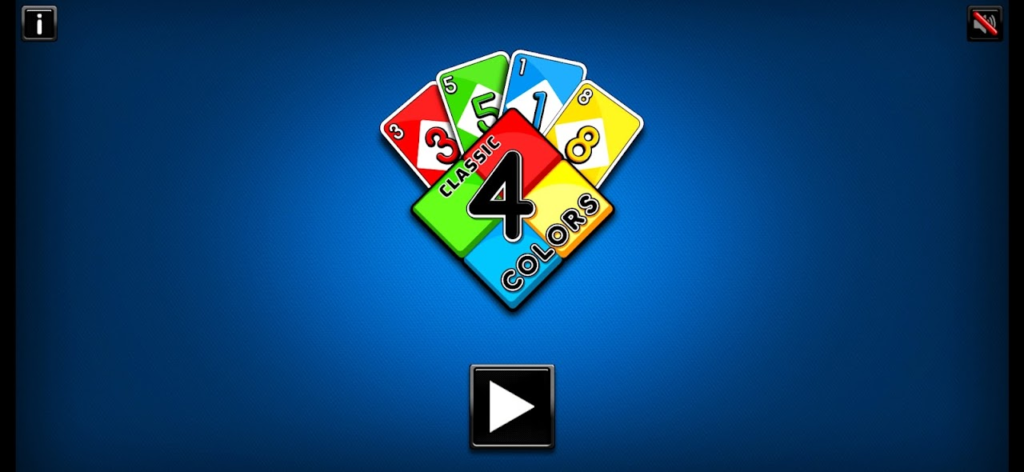
There is something timeless about a great card game. The shuffle of the deck, the tension of an unpredictable draw, and the thrill of playing that perfect card at just the right moment are experiences that have entertained people for generations. 4 Colors Classic, published by QPLAZE LLC, masterfully brings this beloved card game experience to the digital age, offering players the chance to relive fond memories or discover this engaging pastime for the very first time.
This browser-based HTML5 game captures the essence of the classic color-matching card game with remarkable fidelity. Whether you are a seasoned player who misses the fun and addictive gameplay of 4 Colors Classic or a newcomer eager to try something new, this digital adaptation offers an authentic experience right in your web browser. The game recreates the atmosphere perfectly, complete with detailed instructions, straightforward controls, and a cast of interesting computer-controlled opponents who are always ready to play.
In this comprehensive guide, we will explore everything you need to know about 4 Colors Classic. From understanding the fundamental rules and special action cards to developing winning strategies and mastering advanced tactics, this article will help you become a formidable player. We will also cover the game’s technical aspects, privacy considerations, and answer frequently asked questions.
Getting Started with 4 Colors Classic
The Core Concept of the Game
At its heart, 4 Colors Classic is a competitive card game where the goal is to be the first player to get rid of all your cards. The game follows the classic rules of the original physical card game, requiring players to match cards by either color or number. When it is your turn, you must play a card that shares either the same color or the same number as the card currently on top of the discard pile.
What makes this game so addictive is the perfect balance of chance and strategy. The draw of the cards introduces an element of luck, but the decisions you make about which cards to play and when to use your special action cards require strategic thinking and careful planning.
Platform Compatibility and Requirements
One of the most appealing aspects of 4 Colors Classic is its accessibility. As an HTML5 game built with JavaScript, it runs seamlessly in modern web browsers without requiring any downloads or installations. Players can enjoy the game on:
- Desktop Computers: Use your mouse to interact with the game on Windows, Mac, or Linux systems
- Mobile Devices: The game is fully compatible with both iOS and Android smartphones and tablets, with touch controls optimized for smaller screens
- Tablets: Enjoy the game on a larger touchscreen interface with iPad or Android tablet support
The game is designed with a portrait screen orientation and features a resolution of 1920×1080, ensuring crisp graphics and clear card displays across all devices.
Setting Up Your First Game
Starting your first game of 4 Colors Classic is intuitive and welcoming. Before the game begins, you have the opportunity to select the number of players. This choice affects the game’s difficulty and dynamics, as playing against more opponents increases competition and requires more strategic play. The game includes AI opponents of varying skill levels, allowing you to choose a challenge that matches your experience.
Understanding the Rules of Play
Basic Gameplay Mechanics
The fundamental rules of 4 Colors Classic are straightforward enough for beginners yet provide enough depth for strategic mastery. Here is how the game works:
The Objective: Be the first player to discard all cards from your hand.
Turn Structure: Players take turns in a clockwise direction (unless a Reverse card changes the order). On your turn, you must play one card from your hand that matches either the color or the number of the card on top of the discard pile.
Matching Criteria: You can play a card if it has:
- The same color as the top card on the discard pile
- The same number/symbol as the top card
- A Wild card, which can be played at any time regardless of the current color or number
Drawing Cards: If you cannot play a card from your hand, you must draw a card from the draw pile. If the drawn card is playable, you may play it immediately; otherwise, your turn ends.
The Deck and Card Types
The game uses a specialized deck of cards divided into colors and special action cards. Understanding these card types is essential for developing winning strategies.
Number Cards: These form the majority of the deck. The standard 4 Colors Classic deck includes numbered cards in four distinct colors. Number cards have no special abilities and simply need to be matched by color or number.
Action Cards: These special cards introduce strategic depth and can dramatically change the flow of the game. Each action card has a unique effect:
- Draw Two (+2): This card forces the next player to draw two cards from the draw pile and miss their turn. It is a powerful offensive tool that can set opponents back significantly.
- Skip: When you play this card, the next player’s turn is skipped entirely. This effectively removes them from the rotation for one round, preventing them from playing or drawing.
- Reverse: This card reverses the direction of play. If the game was proceeding clockwise, it now moves counterclockwise, and vice versa. This can be used strategically to change who the next player will be.
Wild Cards: The Game Changers
Wild cards are among the most powerful tools in 4 Colors Classic. There are two types of wild cards:
Standard Wild Card: You can play this card on top of any other card, regardless of color or number. When you play a Wild card, you must declare which color will be used for the next player’s turn. This ability to change the color can help you escape difficult situations or set up future plays.
Wild Draw Four (+4): This card is particularly powerful and should be used strategically. When played, you not only change the color but also force the next player to draw four cards and miss their turn. The Wild Draw Four card is so potent that in the official rules, it can only be used when you have no other card of the current color to play.
Mastering Game Controls
Desktop Controls
Playing 4 Colors Classic on a desktop computer is intuitive and responsive. The interface is designed for mouse-based interaction:
- Selecting a Card: Click on a card in your hand to select it. The card will highlight to indicate it has been chosen.
- Playing a Card: After selecting a card, click the play button or the selected card again to play it to the discard pile. If the card is playable, it will be accepted; if not, the game will notify you.
- Drawing a Card: Click the draw pile or designated draw button when you cannot play a card from your hand.
- Choosing a Color: When you play a Wild card, a color selection menu appears. Click on the desired color (red, yellow, green, or blue) to set the new color for the game.
Mobile Touch Controls
The mobile version of 4 Colors Classic offers a seamless touch experience:
- Selecting a Card: Tap on a card in your hand to select it. The card will enlarge or highlight to show it has been chosen.
- Playing a Card: Tap the selected card again or tap a dedicated play button to play it.
- Drawing a Card: Tap the draw pile or the draw button to pick up a new card.
- Choosing a Color: When a Wild card is played, a color selector appears at the bottom of the screen. Tap your chosen color to proceed.
The touch interface is designed to work well on smartphone screens, with large card sizes and responsive buttons that make gameplay comfortable even on smaller devices.
Interface Layout
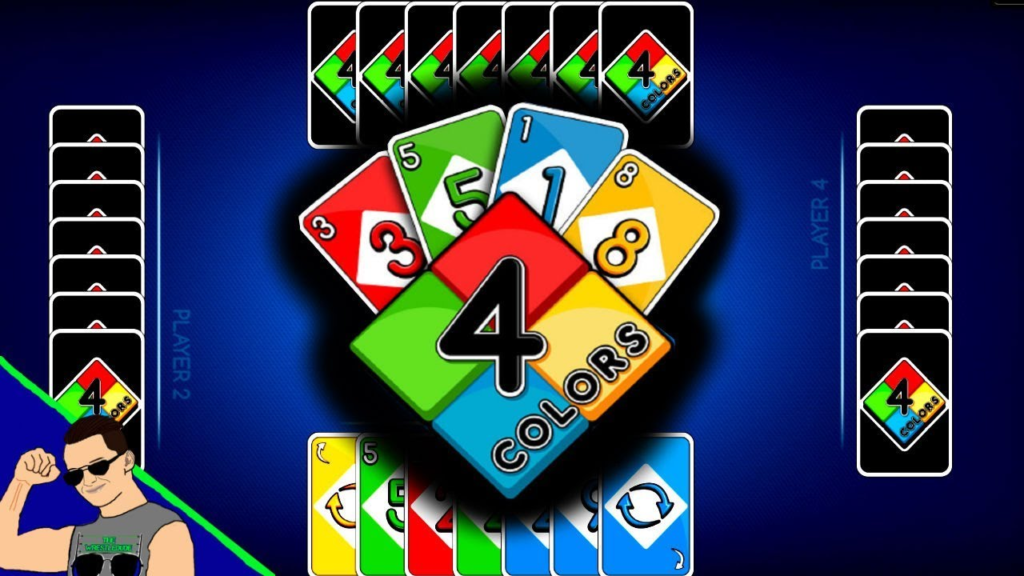
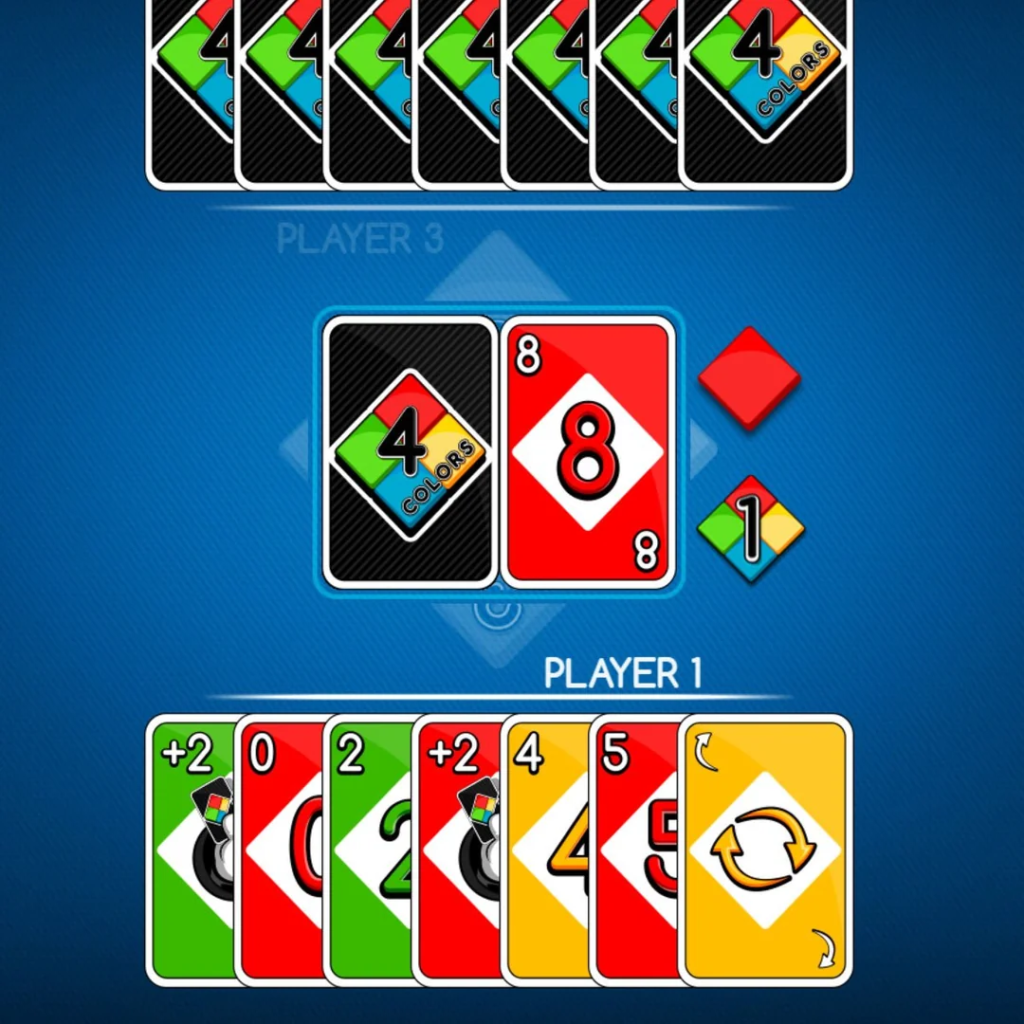
The game interface is clean and intuitive, with important elements positioned for easy access:
- Player’s Hand: Your cards are displayed at the bottom of the screen, organized for easy viewing.
- Discard Pile: The current top card is prominently displayed in the center of the screen.
- Draw Pile: Located to the side of the discard pile, this indicates the number of cards remaining in the draw pile.
- Score Display: The current score or number of cards each player has remaining is visible on the screen.
- Opponents’ Hands: Opponents’ cards are shown face-down or as numbers, indicating how many cards they have left.
- Game Controls: Options for sound, restart, and other settings are easily accessible.
Special Action Cards: Detailed Guide
The Powerful Draw Two Card
The Draw Two card is a staple of strategic play. When you play this card, the next player must immediately draw two cards from the draw pile and then forfeit their turn. This double whammy—adding cards to an opponent’s hand while denying them a play opportunity—can be devastating to their game plan.
Strategic Uses for Draw Two:
- Disrupt opponents: Play this when an opponent has few cards left to increase their burden
- Buy yourself time: When you need more time to arrange your hand or plan your strategy
- Create opportunities: Force an opponent to draw cards that might not help them, giving you an advantage
Skip: Controlling the Turn Order
The Skip card is straightforward in its effect but strategic in its application. When played, the next player in sequence loses their turn and does not draw any cards either. This can be particularly effective when used against a player who is on the verge of winning.
When to Use Skip:
- Stop a winning player: If an opponent has only one card left, skipping their turn can prevent them from winning
- Deny card advantage: Prevent opponents from drawing and potentially getting playable cards
- Save for emergencies: Keep Skip cards in reserve for critical moments
Reverse: Changing the Direction
The Reverse card changes the order of play. If the game was moving clockwise, it switches to counterclockwise, and vice versa. This card can be highly strategic in games with multiple players.
How Reverse Changes Strategy:
- Adjust targeting: Change who will be affected by your action cards
- Alter turn order: Potentially give yourself more favorable position in the sequence
- Avoid dangerous players: If a skilled player is next in turn, reversing direction can skip them
Standard Wild Card: Ultimate Flexibility
The standard Wild card is one of the most versatile tools available. It can be played on top of any card, regardless of color or number, making it a valuable escape option.
Strategic Use of Wild Cards:
- Change the color: Adapt the game to your hand’s strengths by declaring colors you hold many of
- Escape difficult turns: When you cannot play any other card, Wild cards provide an option
- Set up combo plays: Use Wild cards to create favorable situations for future turns
Wild Draw Four: The Most Powerful Card
The Wild Draw Four is the most powerful card in 4 Colors Classic and should be used judiciously. It combines the effects of the standard Wild card and the Draw Two, allowing you to change colors while forcing the next player to draw four cards and lose their turn.
Important Rule: In the official classic rules, the Wild Draw Four can only be played when you have no other cards of the current color. This prevents players from hoarding this powerful card for easy wins.
Optimal Use of Wild Draw Four:
- Late game finisher: Use this card when you have few cards left and want to hinder the next player
- Major disruption: Play it against a player who appears to be winning
- Strategic color change: Use it to set up a strong position while severely damaging an opponent’s hand
Advanced Strategies and Winning Techniques
Card Counting and Memory
While 4 Colors Classic is primarily a game of tactics, developing memory skills can give you a significant advantage. Pay attention to which cards have been played and which colors or numbers seem to be running low in the draw pile. This information can inform your color choices and help you predict your opponents’ hands.
Memory Tips:
- Track played cards: Note which Wild and action cards have been used
- Observe opponents: Pay attention to which colors opponents seem to be collecting or avoiding
- Count cards: If possible, keep track of how many cards of each color have been played
Color Strategy and Management
One of the most crucial strategic decisions you will make is which colors to use when playing Wild cards or selecting cards to hold onto. Effective color management can dramatically improve your chances of winning.
Color Strategy Principles:
- Maintain color balance: Try to keep a variety of colors in your hand to increase your options
- Color denial: When playing Wild cards, choose colors you suspect opponents do not have
- Color advantage: If you hold many cards of a particular color, set the game to that color to play multiple cards in sequence
Timing Your Action Cards
Using action cards at the right moment is as important as having them in your hand. Resist the temptation to play action cards as soon as you draw them. Sometimes saving them for the perfect moment yields much greater results.
Timing Considerations:
- Endgame priority: Use powerful action cards late in the game to prevent others from winning
- Reaction play: Watch for opportunities to counter opponents’ strategies
- Momentum building: Use action cards to build momentum and reduce your hand quickly
Reading Your Opponents
Understanding the AI opponents’ tendencies can help you anticipate their moves and plan accordingly. While the AI is well-programmed, it may have patterns you can exploit:
- Look for tells: Notice if opponents consistently play certain colors or use specific strategies
- Identify threats: When an opponent has few cards left, target them with action cards
- Play defensively: Sometimes, preventing others from winning is as important as your own progress
Adapting to Game Situations
Successful players adapt their strategies based on changing game conditions. Your approach should differ depending on whether you are leading, trailing, or competing with multiple opponents:
When You Are Leading (Few Cards Remaining):
- Play conservatively to avoid drawing cards
- Use action cards defensively to protect your position
- Try to finish quickly before opponents can recover
When You Are Trailing (Many Cards Remaining):
- Play more aggressively to reduce your hand size
- Use action cards to disrupt leading players
- Take more risks to catch up
In Multiplayer Games:
- Balance offense and defense based on opponents’ positions
- Use Reverse cards to change targeting
- Be aware of alliances and rivalry
Game Features and Customization
Player Selection and Difficulty
One of the primary ways to customize your 4 Colors Classic experience is selecting the number of players. The game allows you to choose from:
- Two players: A direct head-to-head matchup against one AI opponent
- Three players: A more dynamic game with multiple opponents
- Four players: The classic experience with maximum competition
Each setting offers a different strategic dynamic and challenge level. Playing against more opponents requires a deeper understanding of the game’s social dynamics and adds complexity to decision-making.
Game Atmosphere and Visual Design
4 Colors Classic recreates the atmosphere of the classic card game with attention to detail. The visual design features:
- Clean, readable card designs: Easy to identify colors and numbers
- Smooth animations: Satisfying card movements and transitions
- Atmospheric backgrounds: A well-designed table surface and game area
- Player avatars: Distinct representations for each AI opponent
The game aims to create an environment that feels like playing the physical card game with friends, complete with the tension and excitement that makes the classic game so memorable.
Audio Experience
Audio design in 4 Colors Classic enhances the gaming experience:
- Sound effects: Satisfying sounds for card plays, card draws, and winning
- Background music: A pleasant audio backdrop that doesn’t distract
- Game alerts: Clear audio notifications for important events
These auditory elements help immerse players in the game and provide important feedback for gameplay actions.
Game Settings
Players can customize their experience through various settings:
- Sound control: Adjust or mute sound effects and music
- Game speed: Choose between standard or faster gameplay
- Visual preferences: Options for card display and interface layout
Technical Performance and Compatibility
HTML5 Technology
4 Colors Classic leverages HTML5 technology for broad compatibility and performance. This means:
- No plugins required: The game runs natively in modern browsers
- Cross-platform compatibility: Works on virtually any device with a browser
- Instant loading: No long downloads or installation processes
- Regular updates: HTML5 technology ensures compatibility with evolving web standards
Performance Optimization
The game is optimized to run smoothly on various devices:
- Lightweight code: Efficient JavaScript ensures responsive gameplay
- Adaptive graphics: Scales appropriately for different screen sizes
- Minimal resource usage: Works well even on older devices
Browser Compatibility
4 Colors Classic has been tested for compatibility with major browsers:
- Google Chrome: Excellent performance
- Mozilla Firefox: Good compatibility
- Safari: Works well on both desktop and iOS
- Edge: Fully supported
- Opera: Compatible
For optimal performance, keeping your browser updated to the latest version is recommended.
Privacy and Data Considerations
Understanding Cookie Usage
Like many online games, 4 Colors Classic employs cookies to enhance user experience and deliver content. The game’s privacy notice explains that various types of cookies may be used:
- Strictly Necessary Cookies: Essential for the website to function, including enabling basic features and remembering privacy preferences.
- Functional Cookies: Allow the website to provide enhanced functionality and personalization.
- Performance Cookies: Count visits and traffic sources to measure and improve site performance.
- Targeting Cookies: Set by advertising partners to build a profile of interests and show relevant advertisements.
Managing Privacy Preferences
When playing 4 Colors Classic, you have control over your privacy preferences. The game provides a consent management interface that allows you to:
- Accept or reject non-essential cookies: Choose whether to allow functional, performance, and targeting cookies
- Manage specific preferences: Fine-tune which types of cookies to accept
- Store choices: Your preferences are saved locally for up to one year
The choices you make determine how your data is used for purposes such as personalized advertising and content measurement.
Data Security and Protection
The game implements standard security measures to protect user data:
- Encrypted connections: All game data is transmitted securely
- Limited data collection: Only essential information is collected for game functionality
- Transparent practices: Clear explanations of how data is used
Frequently Asked Questions (FAQs)
What is the main objective of 4 Colors Classic?
The primary goal of 4 Colors Classic is to be the first player to get rid of all the cards in your hand. You achieve this by matching cards to the discard pile based on color or number, strategically using action cards, and adapting to the game’s changing dynamics. The game is won by strategic play combined with a bit of luck from the card draw.
Can I play 4 Colors Classic with friends online?
4 Colors Classic is primarily designed for single-player gameplay against AI opponents. The game’s social aspect comes through its AI characters, which provide a friendly and competitive experience. While you cannot directly play with friends online in the browser version, the game offers excellent replay value through its varied difficulty levels and the challenge of improving your performance against multiple AI opponents.
What are the different action cards and what do they do?
The game includes four types of action cards:
- Skip: The next player loses their turn
- Reverse: Changes the direction of play
- Draw Two: The next player draws two cards and misses their turn
- Wild: Can be played on any card and lets you choose a new color
- Wild Draw Four: Combines Wild with forcing the next player to draw four cards and miss their turn
How do I choose the number of players?
Before starting a game, you are presented with options to select the number of players. You can choose between 2, 3, or 4 players for your game. This selection affects the game’s dynamics and difficulty, with more players generally creating a more complex and strategic experience.
Is 4 Colors Classic suitable for mobile devices?
Yes, 4 Colors Classic is fully compatible with mobile devices. The game is optimized for both iOS and Android smartphones and tablets, featuring touch controls that make it easy to play on smaller screens. The portrait orientation and responsive design ensure the game looks and plays great on any device.
What makes 4 Colors Classic different from the physical card game?
While 4 Colors Classic faithfully recreates the original card game experience, the digital version offers several advantages: automatic rules enforcement ensures no mistakes, AI opponents provide opponents at any time, faster gameplay with no manual shuffling or dealing, and accessibility on any device with a browser. The game preserves the authentic feel while adding digital convenience.
Are there different difficulty levels in the game?
The game offers different AI skill levels, allowing you to choose opponents that match your experience. The difficulty affects how strategically the AI opponents play, making the game more or less challenging depending on your skill level. This ensures that both beginners and experienced players can enjoy the game.
Conclusion: Why 4 Colors Classic Should Be Your Next Digital Card Game
4 Colors Classic represents the best of what digital card games can offer: a faithful recreation of a beloved classic combined with the convenience and accessibility of modern technology. Whether you are a longtime fan of the physical card game or a newcomer looking for an engaging and strategic gaming experience, 4 Colors Classic delivers on all fronts.
The game’s straightforward rules make it easy to learn, while the strategic depth provided by action cards, color management, and adaptive play ensures it remains challenging even after many games. The carefully designed AI opponents provide satisfying competition, and the crisp, clean visual interface makes for an enjoyable experience across all devices.
Beyond the gameplay itself, 4 Colors Classic offers practical advantages over the physical card game. You never need to shuffle a deck, track scores, or enforce rules manually. The game handles all the details, letting you focus on strategy and fun. The availability on multiple platforms means you can enjoy the game at home on your computer or on the go with your mobile device.
The game’s strong privacy practices and transparent data handling ensure that you can play with confidence, while the regular updates and support from QPLAZE LLC mean the game continues to improve over time.
For anyone seeking a classic card game experience that combines nostalgia with modern convenience, 4 Colors Classic is an excellent choice. Its perfect recreation of the original game’s atmosphere, combined with digital enhancements, makes it a must-play for card game enthusiasts. Whether you are reliving fond memories or discovering this great game for the first time, 4 Colors Classic offers wonderful, friendly competitions that will keep you entertained for hours.